
AWS使用lambda函数控制VPS自动停止和启动
创建自定义策略
你可以创建一个策略 JSON,内容覆盖 启动/停止/管理实例的权限:
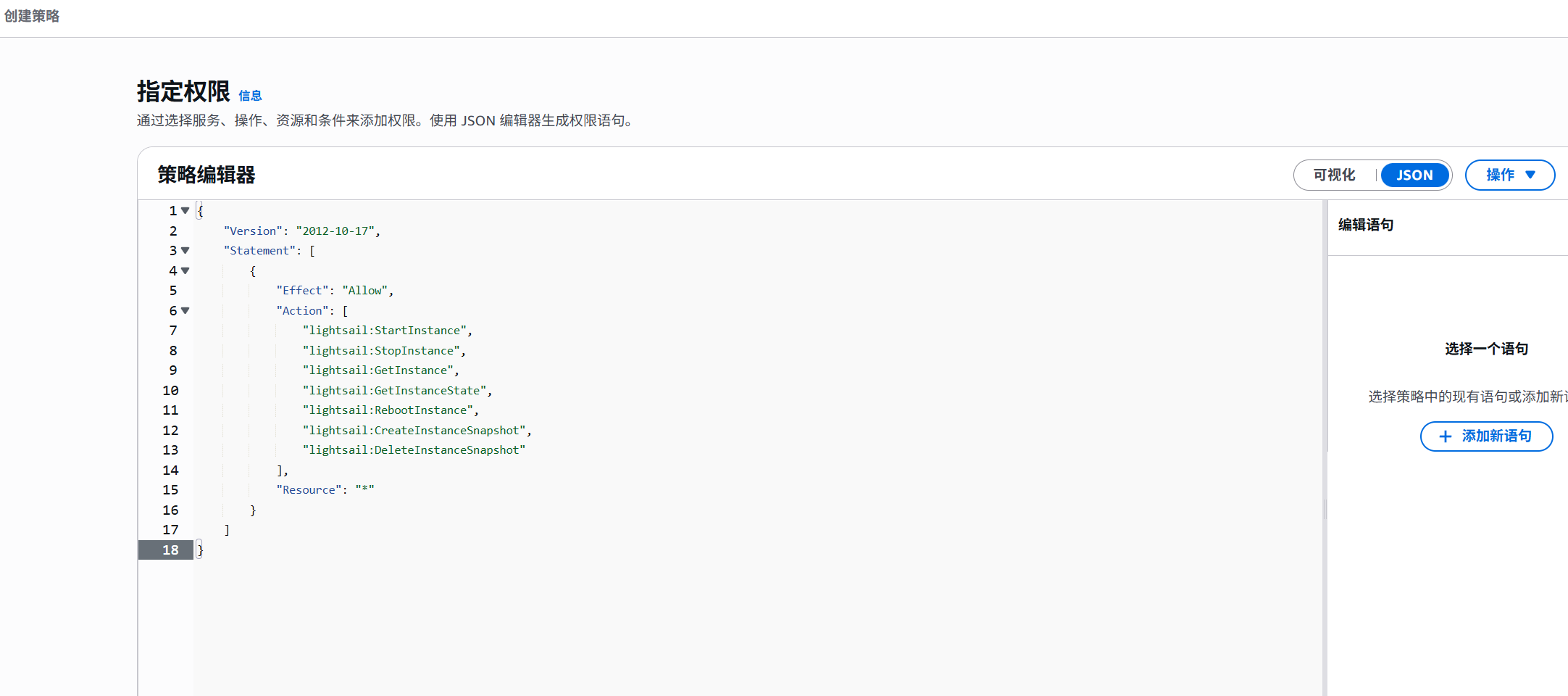
IAM → 策略 → 创建策略 → JSON → 粘贴上面的内容 → 下一步
命名策略:比如 LightsailFullAccess-CN → 创建
创建角色步骤:
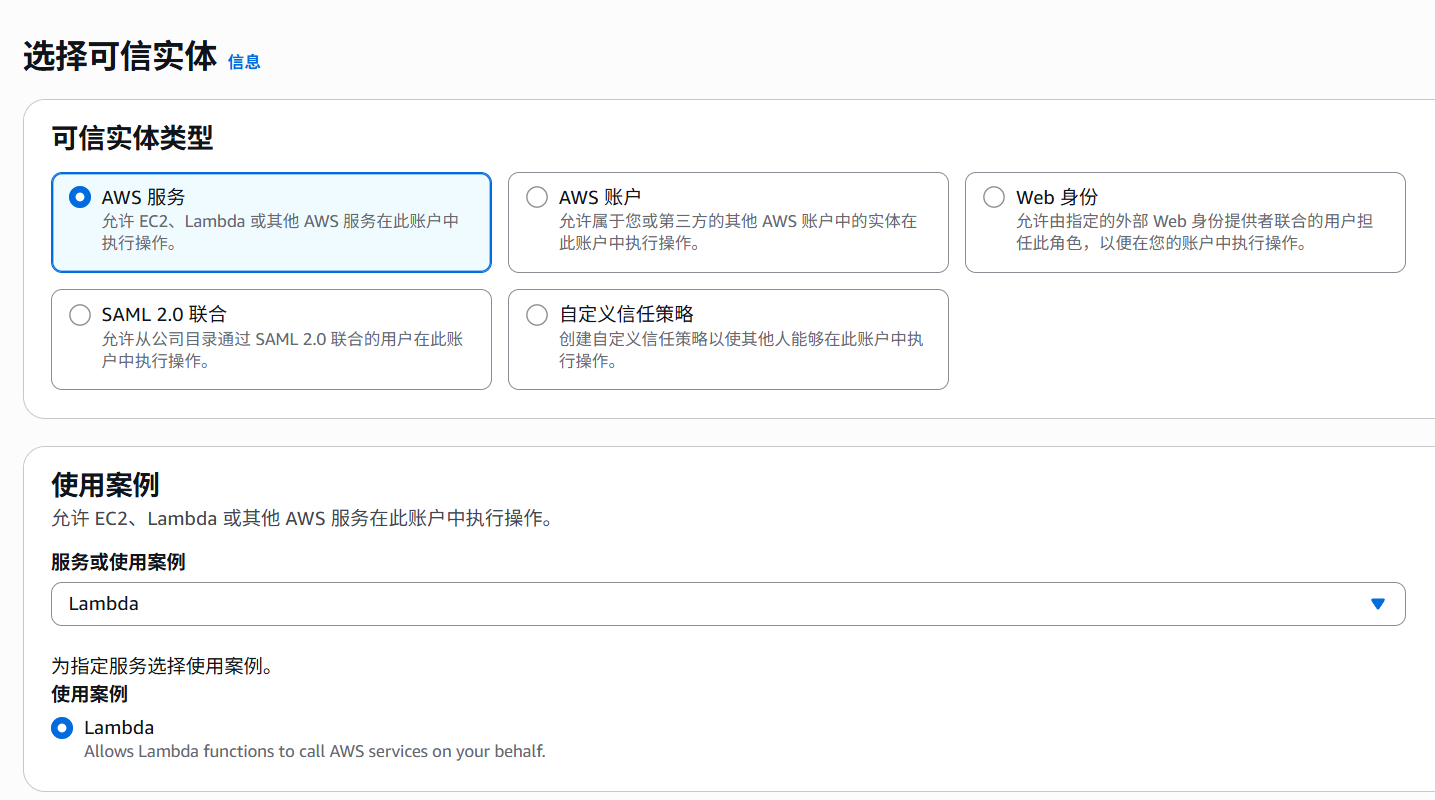
选择刚才的策略
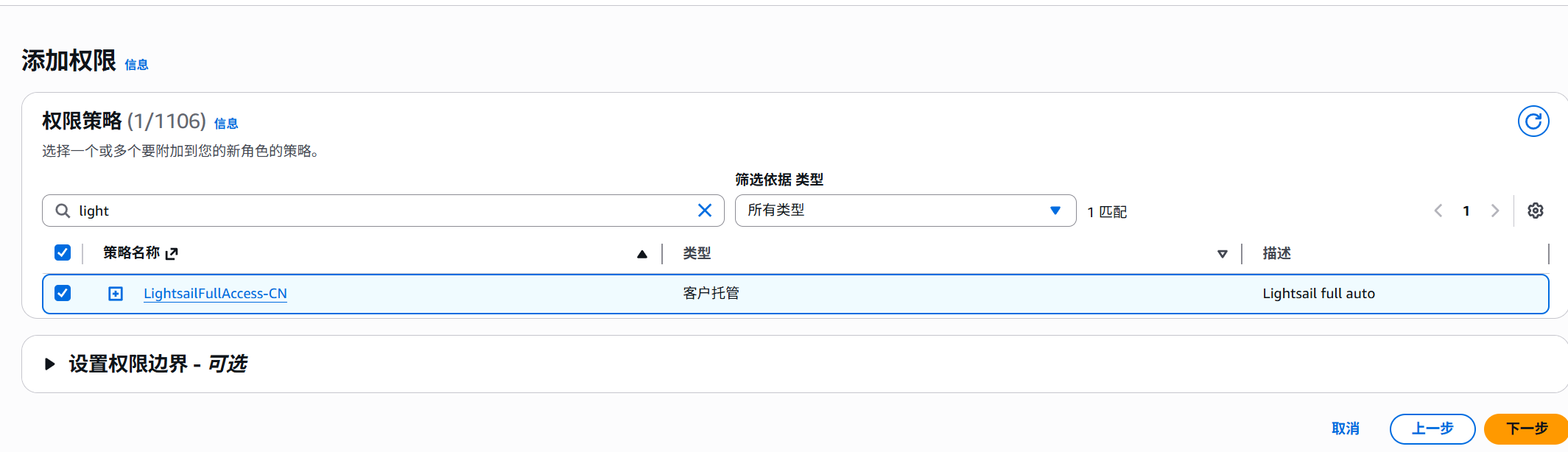
下一步 → 给角色命名(比如 LightsailAutoRole) → 创建
然后,Lambda + EventBridge部署自动任务(推荐,无人干预)
一定要注意:
右上角选择你的网站所在区域(比如 tokyo、singapore、oregon),Lambda 也必须选同区域。
创建 Lambda 函数:
运行环境:Python3.10
IAM Role:选择前面创建的 LightsailAutoRole
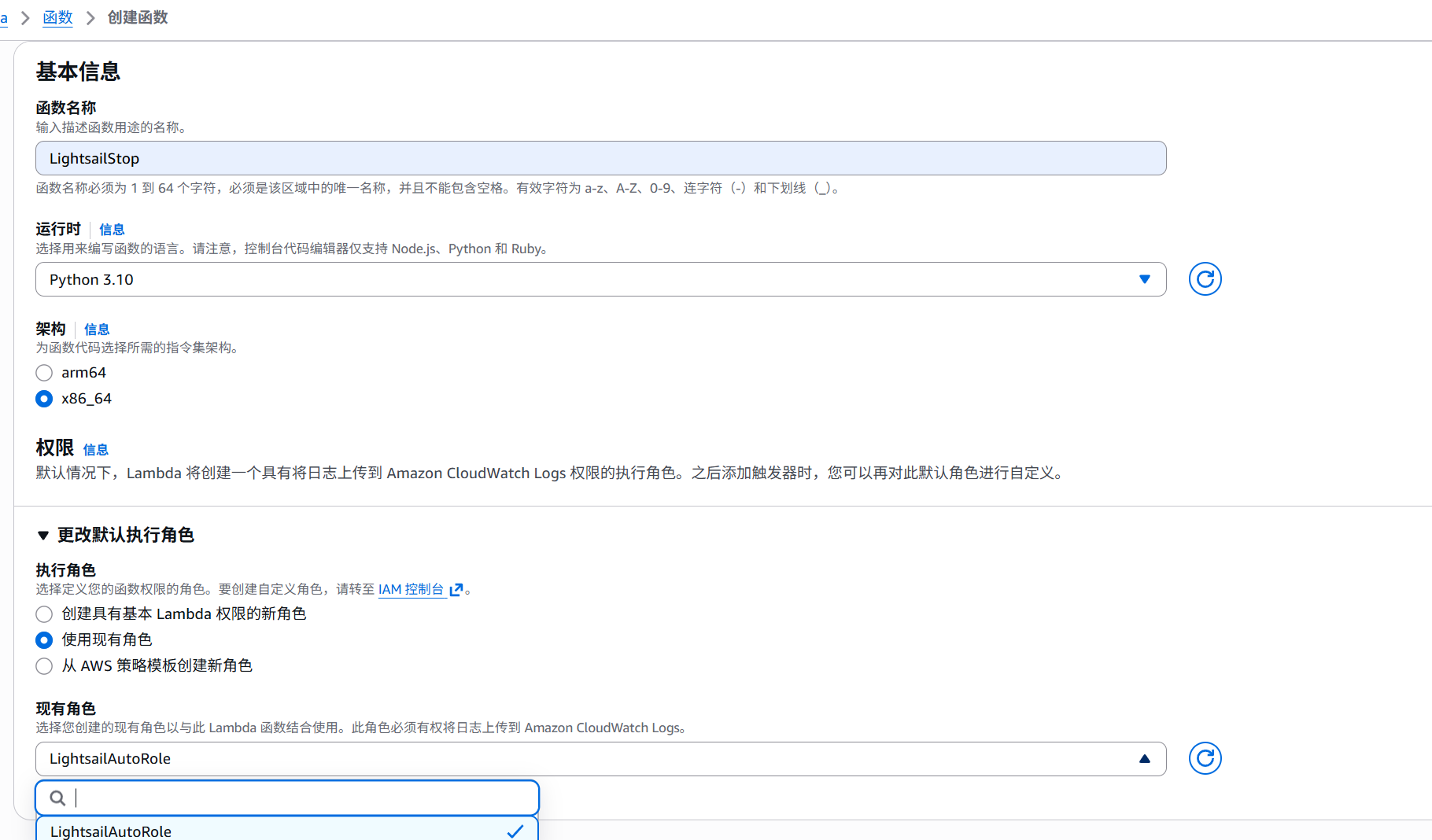
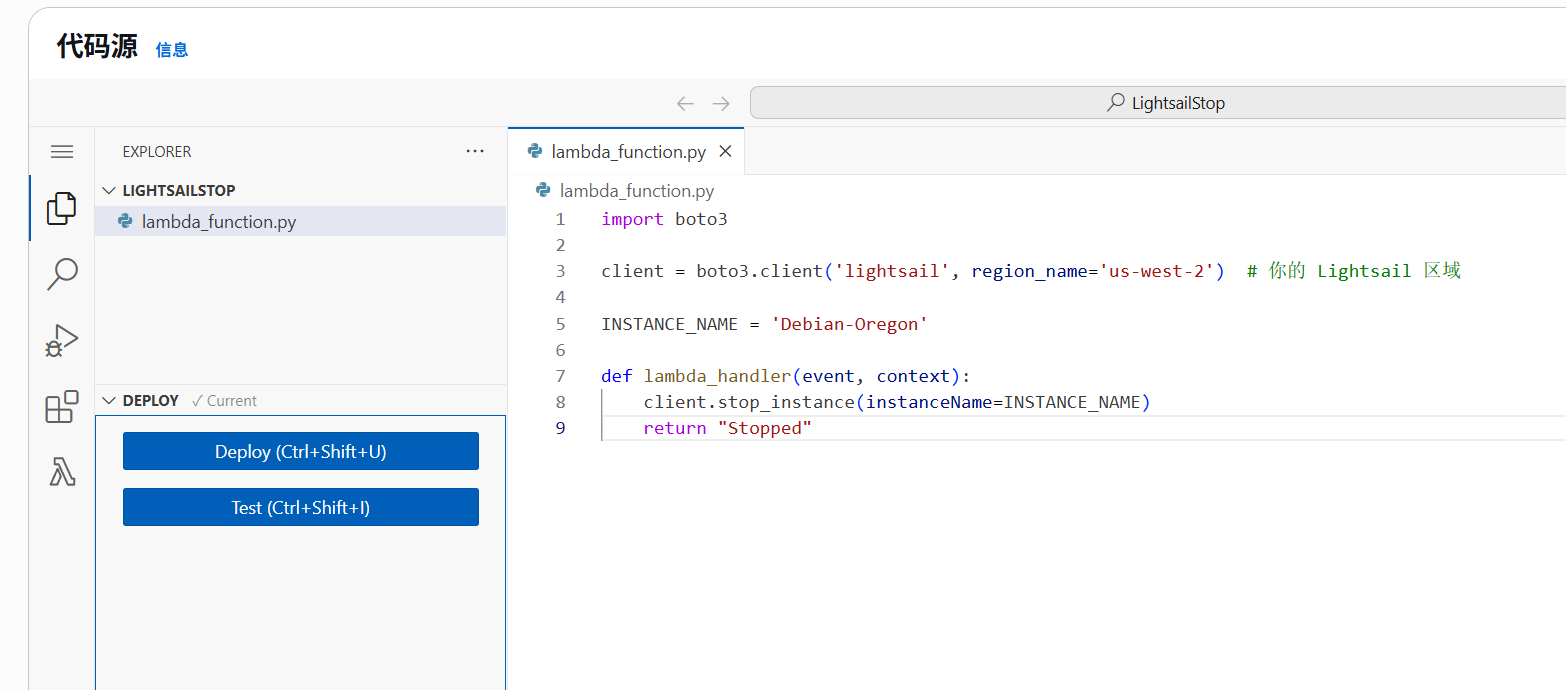
stop脚本Python3.10:
import boto3

client = boto3.client('lightsail', region_name='ap-southeast-1')  # 你的 Lightsail 区域

INSTANCE_NAME = '你的实例名字'

def lambda_handler(event, context):
    client.stop_instance(instanceName=INSTANCE_NAME)
    return "Stopped"
start脚本Python3.10
import boto3

client = boto3.client('lightsail', region_name='ap-southeast-1')

INSTANCE_NAME = '你的实例名字'

def lambda_handler(event, context):
    client.start_instance(instanceName=INSTANCE_NAME)
    return "Started"
函数创建后,点击部署
设置自动触发(自动运行)
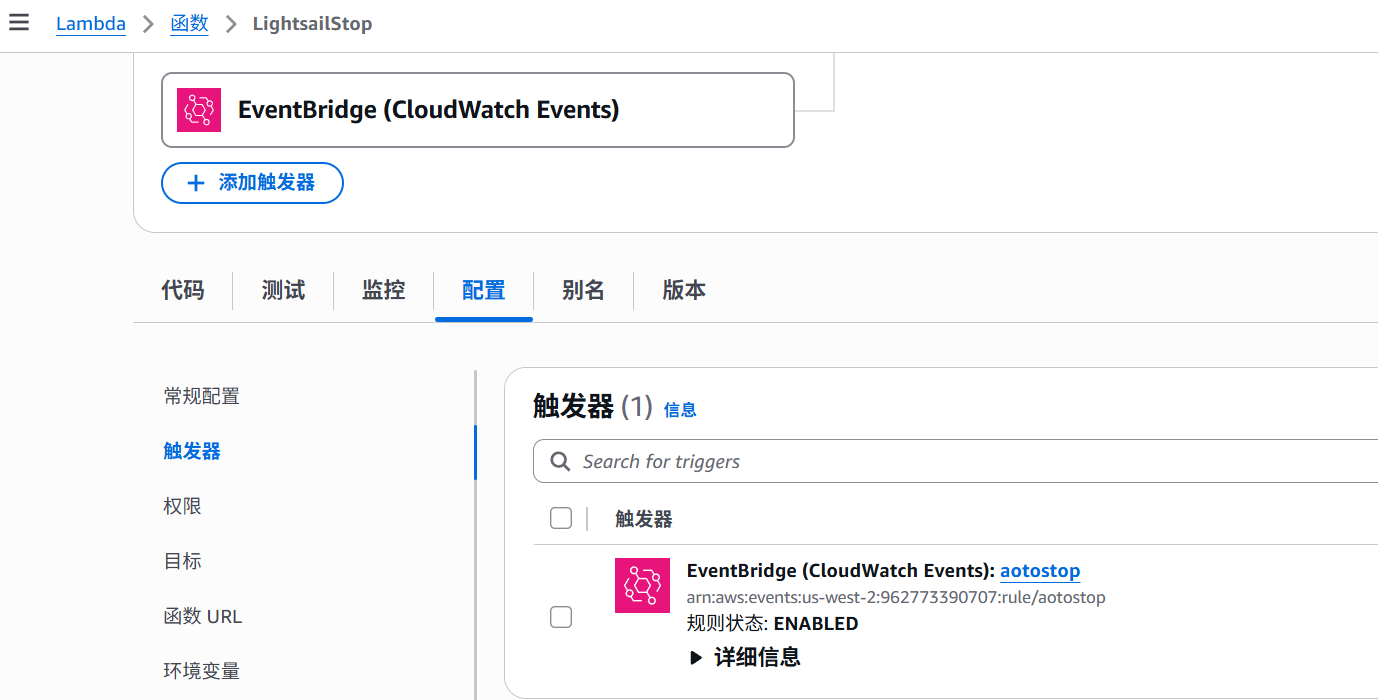
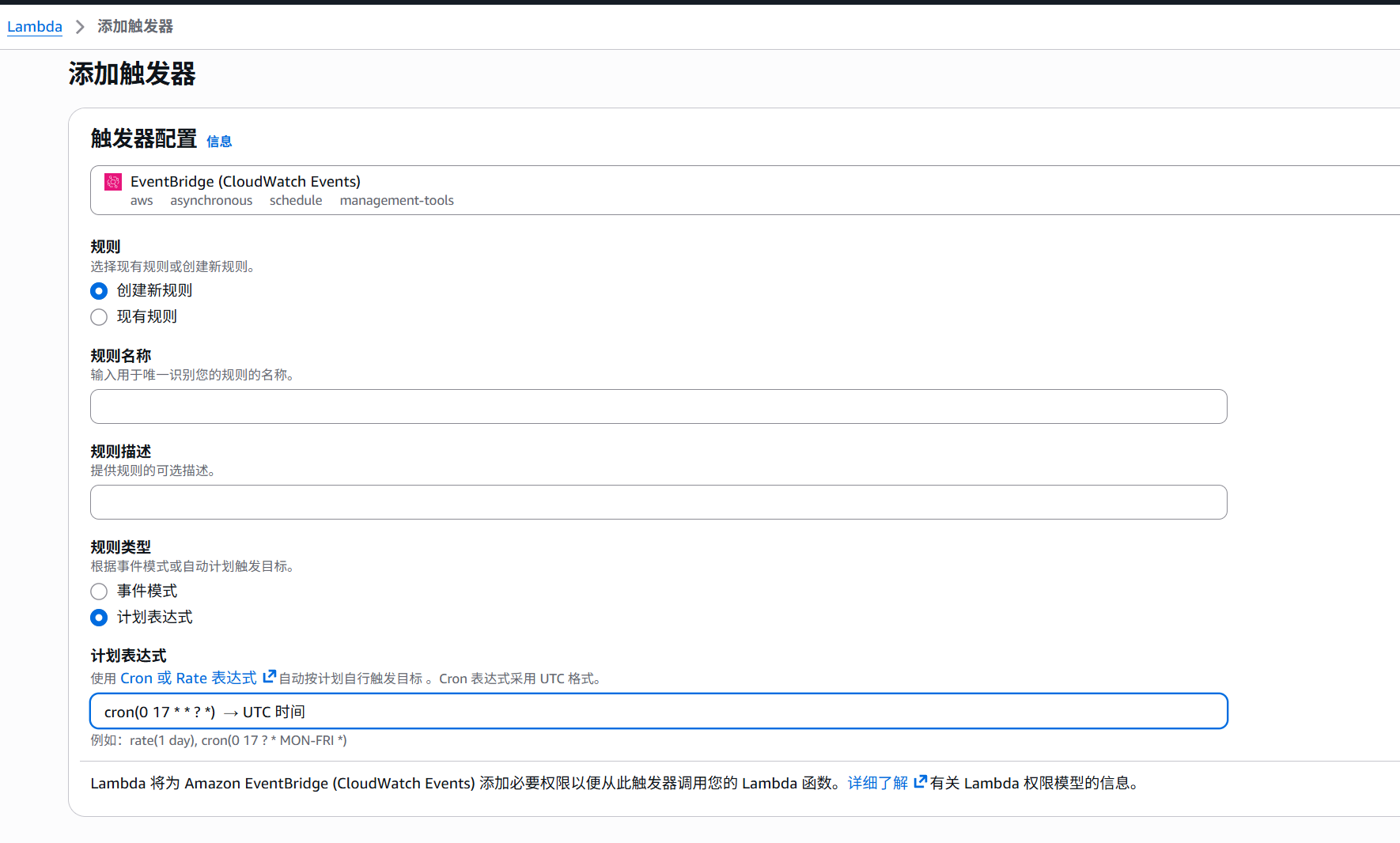
搜索的触发器配置是[EventBridge (CloudWatch Events)],函数时间是UTC时间,VPS时间也请设置为UTC时间
添加并完成
评论区(暂无评论)